Introduction
I use Claude Code for substantial one-off analysis, and its output is frequently a single self-contained HTML file. Examples include a flight-log dashboard, an interactive trainer derived from an audiobook transcript (described in Building Interactive Trainers From My Audiobook Library), a pedigree chart, and a client map. Each began either as a Live Artifact or as a file in /tmp that I opened with file://, inspected once, and subsequently lost.
That is an unsatisfactory conclusion for an artifact that required material computation to produce. I wanted the agent to complete the final stage: construct the artifact, publish it, and return a URL. A URL places the artifact somewhere durable rather than in a temporary directory, while making controlled sharing no more difficult than sending a link.
I built pages, a compact static-site host running in my Kubernetes cluster with an MCP server for uploads. Claude calls deploy_site, and the resulting site is available at https://<name>.pages.internal.white.fm/ with a publicly trusted Let’s Encrypt certificate. The workflow requires no Git push, CI run, kubectl cp, or application rebuild. The deployed pages are nevertheless mirrored to a private Git repository for recovery and GitOps retrieval.
This post covers the whole thing: the server, the manifests, the TLS and DNS work that turned out to be the hard part, how to gate a site behind SSO if you want to share it, and how to register the MCP server with Claude Code. The source is at github.com/RobertDWhite/pages-mcp.
The Design
The entire system is one Python process listening on :8080. It serves two planes, selected by the Host header:
- Control plane. The MCP endpoint lives at
https://pages-mcp.internal.white.fm/mcpand is gated by a static bearer token. It serves/mcpand returns 404 for everything else. - Serving plane. Each site is published at
https://<site>.pages.internal.white.fm/, open on my tailnet with no auth gate. Every site gets its own subdomain. The apex,https://pages.internal.white.fm/, renders a directory index of everything hosted.
Files reside on a Longhorn persistent volume claim (PVC) at /data/sites, with one directory per site. That is the complete data model: there is no database, build step, or framework.
If the control plane were reachable on a content hostname, JavaScript in any hosted site could reach /mcp as a same-origin request, leaving the bearer token as the only control. The server closes that exposure by returning 404 for /mcp on every host except the control host.
Why a subdomain per site instead of a path prefix
The first version served sites at pages.internal.white.fm/<site>/. It worked, and it was worse in three separate ways.
Relative asset paths break under a path prefix unless you inject a <base href="/<site>/">. I did inject one, and it then broke any site that already carried a <base> tag or that built URLs in JavaScript. Because localStorage is scoped per-origin, every site on a shared host could read every other site’s saved state. For a set of trainers that each remember your quiz progress, that is a real collision. A hostname is also easier to send to someone than a path.
Moving to <site>.pages.internal.white.fm resolved all three concerns. Each site receives its own origin, <base href="/"> remains correct, and the site name becomes a DNS label with inherent validation constraints. Origin separation does not extend to cookies; the security notes address that limitation below.
The Server
The server is a single Python file, about 500 lines, built on FastMCP and Starlette.
Host-based routing and auth
A single Starlette middleware does the plane split and the bearer check:
class Gate(BaseHTTPMiddleware):
    """Host-based plane split + bearer auth for the control plane."""

    async def dispatch(self, request: Request, call_next):
        path = request.url.path
        if path == "/healthz":
            return await call_next(request)
        host = _req_host(request)
        is_mcp = path == "/mcp" or path.startswith("/mcp/")
        if is_mcp:
            # Never expose the control plane on a content host — but the MCP host
            # itself can match a serve-host suffix (e.g. pages-mcp.internal.white.fm
            # ends with .white.fm when white.fm is in SERVE_HOST), so exempt it.
            if host != MCP_HOST and _is_serve_host(host):
                return PlainTextResponse("not found", status_code=404)
            if MCP_TOKEN and request.headers.get("authorization", "") != f"Bearer {MCP_TOKEN}":
                return JSONResponse({"error": "unauthorized"}, status_code=401)
            return await call_next(request)
        if host == MCP_HOST:  # keep the control-plane host free of served content
            return PlainTextResponse("not found", status_code=404)
        return await call_next(request)
That comment in the middle is there because I got bitten by it. SERVE_HOST is a comma-separated list, and once I added the bare white.fm to it (more on why in the Authentik section below), the control host pages-mcp.internal.white.fm started matching the “is this a serve host?” suffix test, and the MCP endpoint 404’d itself. Exempting MCP_HOST explicitly is the fix. /healthz is exempt from every check, which keeps the kubelet probes working.
Site names are DNS labels
Because the site name becomes a subdomain, it has to be a valid DNS label. That is enforced in one regex, plus a short reserved list that prevents anyone from deploying a site named mcp and shadowing the control host:
SITE_NAME_RE = re.compile(r"^[a-z0-9](?:[a-z0-9-]{0,61}[a-z0-9])?$")
RESERVED_NAMES = {"mcp", "healthz", "favicon.ico", "robots.txt"}
Writing files without getting owned
Because deploy_site accepts arbitrary paths from an LLM, path traversal is the principal risk. Every path passes through one helper that resolves it and confirms that it remains inside the site root:
def _safe_member(root: Path, rel: str) -> Path:
    """Resolve rel within root, rejecting traversal/absolute/empty paths."""
    if not isinstance(rel, str) or not rel.strip("/") or "\x00" in rel:
        raise ValueError(f"invalid file path {rel!r}")
    rel = rel.lstrip("/")
    if rel.endswith("/"):
        raise ValueError(f"invalid file path {rel!r}")
    root_r = root.resolve()
    target = (root / rel).resolve()
    if target != root_r and root_r not in target.parents:
        raise ValueError(f"path escapes site root: {rel!r}")
    return target
Two other things happen before anything touches the live directory. Because everything is validated and decoded up front, a bad base64 blob in file 7 of 9 fails the request instead of leaving you with a half-written site. The write itself then goes to a hidden staging directory inside SITES_DIR, which is replace()d over the target. That is an atomic rename on the same filesystem, which means a deploy either fully lands or does not land at all. A MAX_TOTAL_BYTES cap, 64 MiB by default, prevents a runaway agent from filling the volume.
Serving
The serving path is boring on purpose. The server resolves the site from the Host header, resolves the file within the site root through the same _safe_member, redirects directories to a trailing slash with a 308, serves index.html for directory roots, and guesses a content type. HTML gets <base href="/"> injected if it does not already carry a <base> tag, which keeps hand-written relative paths working:
def _inject_base(html: bytes, prefix: str) -> bytes:
    if b"<base" in html[:4096].lower():
        return html
    tag = f'<base href="{prefix}">'.encode("utf-8")
    for pat in (_BASE_HEAD_RE, _BASE_HTML_RE):
        m = pat.search(html)
        if m:
            return html[: m.end()] + tag + html[m.end():]
    return tag + html
Python’s mimetypes module is missing or wrong on a few types that matter for modern single-file apps. The server therefore registers them at import: .js and .mjs as text/javascript, plus .wasm, .woff2, .webmanifest, and friends. If you skip this, your ES modules get served as text/plain, and the browser refuses to execute them. Diagnosing that cost me an afternoon.
The MCP Tools
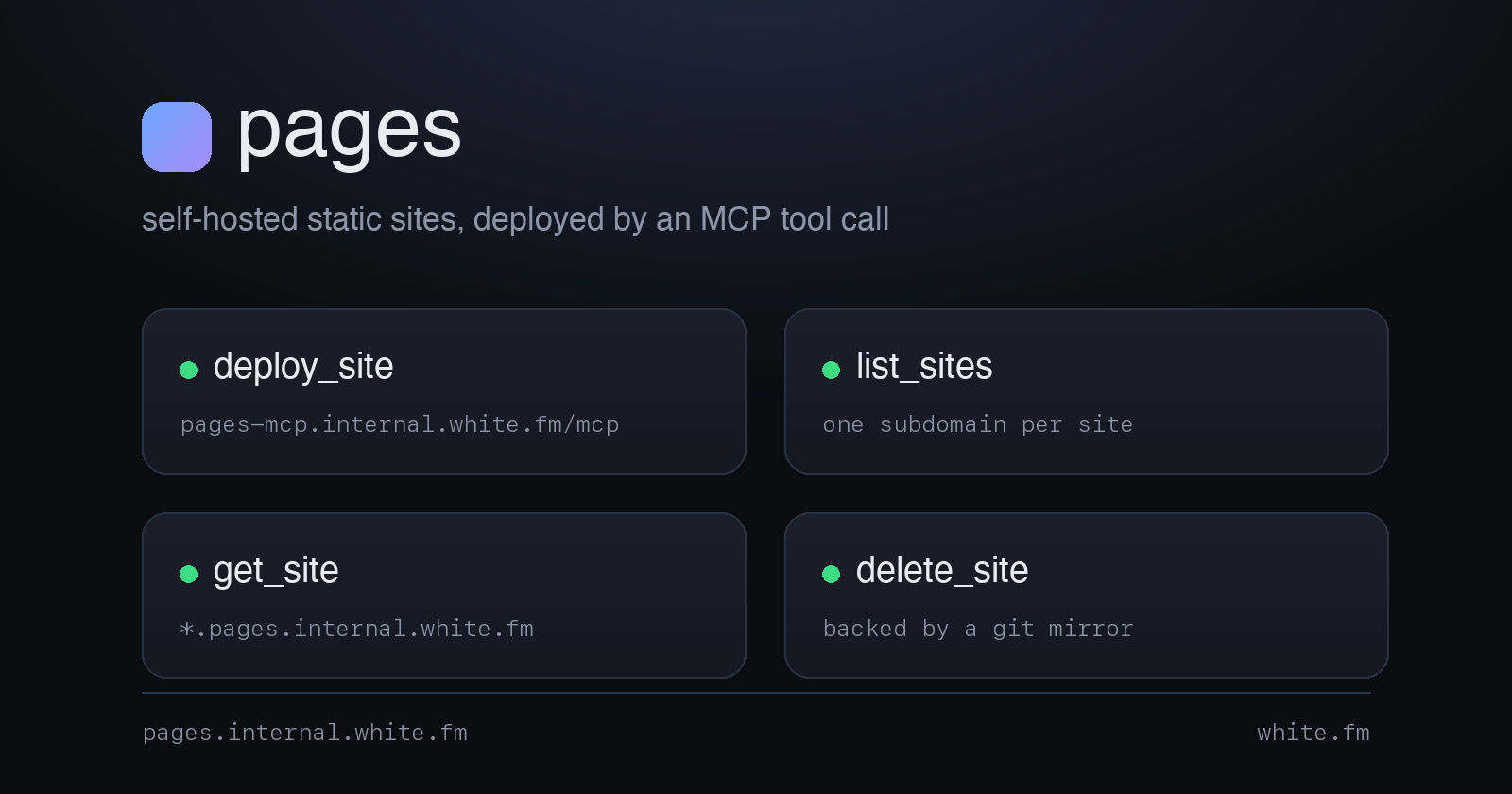
There are four tools. Because the docstring is the principal interface exposed to the model, it carries much of the operational contract.
| Tool | Purpose |
|---|---|
deploy_site(name, files, replace=True) |
Upload a site. files is a list of {path, content, encoding}, where encoding is text (default) or base64. replace=True replaces the site with exactly these files; replace=False merges. Returns {url, files, bytes}. |
list_sites() |
Every site with URL, file count, total size, and last-modified time. |
get_site(name) |
One site’s stats plus the list of file paths it contains. |
delete_site(name) |
Remove a site and all its files. |
Here is deploy_site’s docstring, verbatim, because getting this right is most of the work:
@mcp.tool()
def deploy_site(name: str, files: list[dict], replace: bool = True) -> dict:
    """Deploy a static site/artifact, served at https://<name>.pages.internal.white.fm/.

    name: lowercase DNS-label slug (a-z, 0-9, '-'), 1-63 chars. Becomes the site's
        subdomain, so it must also be a valid DNS label.
    files: list of {"path": "index.html", "content": "<...>", "encoding": "text"}.
        - path: relative path within the site (e.g. "index.html", "assets/app.js").
          Subdirectories are created automatically; "../" and absolute paths are rejected.
        - content: the file body.
        - encoding: "text" (default, utf-8) or "base64" for binary assets (images, fonts).
    replace: True (default) replaces the site with exactly these files; False merges
        the given files into an existing site (leaving other files in place).

    Put an index.html at the site root or the URL will 404. Returns {url, files, bytes}.
    """
Every constraint the model can violate is stated in the text it receives. Explicitly stating that ../ is rejected prevented traversal attempts; explaining that the name becomes a subdomain prevented proposals such as My Cool Report; and specifying the need for index.html prevented single-file report.html deployments. When a root index.html remains absent, the return value contains a warning field that provides a further opportunity for correction.
The Container
The image is deliberately minimal: Python 3.14 slim, plus git and openssh-client for the backup mirror described later.
FROM python:3.14-slim

WORKDIR /app

RUN apt-get update && apt-get install -y --no-install-recommends git openssh-client \
    && rm -rf /var/lib/apt/lists/* \
    && echo 'app:x:1000:1000:app:/home/app:/usr/sbin/nologin' >> /etc/passwd \
    && install -d -o 1000 -g 1000 /home/app

COPY requirements.txt .
RUN pip install --no-cache-dir -r requirements.txt

COPY server.py .

ENV PORT=8080
ENV SITES_DIR=/data/sites
EXPOSE 8080

USER 1000:1000

CMD ["python", "server.py"]
requirements.txt is three lines: mcp, uvicorn, starlette.
A GitHub Actions workflow builds ghcr.io/robertdwhite/pages-mcp for linux/amd64 on pushes to main and on v* tags. In the cluster repo, I remap and pin the tag in kustomization.yaml, and Renovate bumps it when a new v* image is published:
images:
  - name: registry.internal.white.fm/pages-mcp
    newName: ghcr.io/robertdwhite/pages-mcp
    newTag: v0.2.4
Deploying It on Kubernetes
Everything below lives in apps/ai/pages/ in my cluster repo and is applied by ArgoCD. Secrets are SOPS-encrypted and decrypted at apply time with ksops.
Storage and the Deployment
Storage is a 5Gi Longhorn PVC. The Deployment is single-replica and uses strategy: Recreate, because the volume is ReadWriteOnce and a rolling update would deadlock waiting for the old pod to release it:
apiVersion: v1
kind: PersistentVolumeClaim
metadata:
  name: pages-data
  namespace: pages
spec:
  accessModes:
    - ReadWriteOnce
  resources:
    requests:
      storage: 5Gi
  storageClassName: longhorn
The pod runs as non-root with a read-only root filesystem, all capabilities dropped, and RuntimeDefault seccomp:
      securityContext:
        runAsNonRoot: true
        runAsUser: 1000
        fsGroup: 1000
        seccompProfile:
          type: RuntimeDefault
      containers:
        - name: pages
          image: registry.internal.white.fm/pages-mcp
          ports:
            - containerPort: 8080
          env:
            - name: SITES_DIR
              value: "/data/sites"
            - name: SERVE_HOST
              value: "pages.internal.white.fm,white.fm"
            - name: MCP_HOST
              value: "pages-mcp.internal.white.fm"
            - name: TMPDIR
              value: "/tmp"
            - name: HOME
              value: "/tmp"
            - name: MCP_TOKEN
              valueFrom:
                secretKeyRef:
                  name: pages-env
                  key: MCP_TOKEN
          securityContext:
            allowPrivilegeEscalation: false
            readOnlyRootFilesystem: true
            capabilities:
              drop:
                - ALL
          volumeMounts:
            - name: data
              mountPath: /data/sites
            - name: tmp
              mountPath: /tmp
readOnlyRootFilesystem: true is why TMPDIR and HOME both point at an emptyDir mounted on /tmp. The atomic staging directory needs somewhere to write, and git needs a writable HOME. Without those two env vars, the pod starts cleanly and then fails on the first deploy. The failure never shows up at startup.
I also pin nodeSelector: kubernetes.io/arch: amd64. One of my nodes is arm64 bare metal, the image is amd64-only, and an amd64 image scheduled onto arm64 crash-loops with exec format error while the old pod keeps happily serving traffic. You do not notice for a week.
The nested-wildcard problem
This required an evening of diagnosis.
I have a wildcard cert and a Gateway listener for *.internal.white.fm. A wildcard certificate matches exactly one label. white-ancestry.pages.internal.white.fm is two labels deep under internal.white.fm. *.internal.white.fm therefore does not cover it, and the existing listener will not serve it.
The fix is three coordinated pieces:
1. Add a SAN to the certificate for the nested wildcard, in platform/networking/envoy-gateway/05-certificates.yaml:
  dnsNames:
    - "white.fm"
    - "*.white.fm"
    - "*.internal.white.fm"
    - "*.pages.internal.white.fm"
    - "*.pages.white.fm"
This works because the cert is issued with a DNS-01 challenge through a cert-manager ClusterIssuer. DNS-01 is the only ACME challenge type that can issue wildcards at all, and it is the reason internal-only hostnames can have publicly trusted certs without being publicly reachable.
2. Add a dedicated Gateway listener, since the *.internal.white.fm listener will not match a two-label host:
    - name: https-pages-internal
      protocol: HTTPS
      port: 443
      hostname: "*.pages.internal.white.fm"
      tls:
        mode: Terminate
        certificateRefs:
          - name: wildcard-white-fm-tls
      allowedRoutes:
        namespaces:
          from: All
3. Add a wildcard DNS record. My internal.white.fm zone is served by Technitium from static records rather than by external-dns. A *.pages.internal.white.fm → 10.99.5.110 A record therefore has to be added there by hand, alongside the pages and pages-mcp records. 10.99.5.110 is the Gateway’s LoadBalancer address.
Each missing component fails differently, which complicates diagnosis. Without the SAN, the browser reports a certificate error; without the listener, the outcome is a TLS handshake failure or a 404 from the wrong listener; without the DNS record, resolution produces NXDOMAIN. I encountered all three conditions in sequence.
Routes
Two HTTPRoutes cover the internal case: the apex on the shared listener and the per-site wildcard on the dedicated one.
apiVersion: gateway.networking.k8s.io/v1
kind: HTTPRoute
metadata:
  name: pages-serve-internal
  namespace: pages
spec:
  parentRefs:
    - name: main
      namespace: envoy-gateway-system
      sectionName: https-internal-white-fm
  hostnames:
    - pages.internal.white.fm
  rules:
    - backendRefs:
        - name: pages
          port: 8080
---
apiVersion: gateway.networking.k8s.io/v1
kind: HTTPRoute
metadata:
  name: pages-serve-wildcard
  namespace: pages
spec:
  parentRefs:
    - name: main
      namespace: envoy-gateway-system
      sectionName: https-pages-internal
  hostnames:
    - "*.pages.internal.white.fm"
  rules:
    - backendRefs:
        - name: pages
          port: 8080
The MCP route is a third one on pages-mcp.internal.white.fm, pointed at the same Service and the same port. The server does the rest.
Network policy
The namespace defaults to deny-ingress, and only the Gateway and Authentik namespaces can reach port 8080:
apiVersion: networking.k8s.io/v1
kind: NetworkPolicy
metadata:
  name: allow-envoy-gateway
  namespace: pages
spec:
  podSelector:
    matchLabels:
      app: pages
  policyTypes:
    - Ingress
  ingress:
    - from:
        - namespaceSelector:
            matchLabels:
              kubernetes.io/metadata.name: envoy-gateway-system
        - namespaceSelector:
            matchLabels:
              kubernetes.io/metadata.name: authentik
      ports:
        - port: 8080
          protocol: TCP
If you forget the Authentik entry, the public SSO path in the next section fails with an upstream connect timeout and a 503, and you will spend an hour blaming the proxy provider.
Making One Site Public, Behind SSO
Everything above is tailnet-only. Sometimes I want to send a site to someone who is not on my tailnet (a family member looking at a genealogy hub, for instance) with a login in front of it.
The intuitive approach is white-ancestry.pages.white.fm, yet it does not work. Cloudflare Universal SSL covers example.com and *.example.com, one label only. A nested host such as white-ancestry.pages.white.fm has no edge certificate, and the browser reports ERR_SSL_VERSION_OR_CIPHER_MISMATCH before the origin is consulted. It is the same one-label rule as before, enforced by a different vendor.
To work around this, public sites get a single-label host instead: white-ancestry.white.fm. That route lives in the authentik namespace, on the *.white.fm listener, and forwards to the Authentik embedded outpost rather than to pages:
apiVersion: gateway.networking.k8s.io/v1
kind: HTTPRoute
metadata:
  name: white-ancestry-pages-public
  namespace: authentik
spec:
  parentRefs:
    - name: main
      namespace: envoy-gateway-system
      sectionName: https-white-fm
  hostnames:
    - white-ancestry.white.fm
  rules:
    - backendRefs:
        - name: authentik-server
          port: 80
In Authentik, a proxy provider for that host forwards authenticated requests straight to the pages Service, preserving the original Host header. That is why SERVE_HOST is the comma-separated pages.internal.white.fm,white.fm. The server sees Host: white-ancestry.white.fm, matches it against the second serve zone, strips the label, and serves the white-ancestry site. The first entry stays canonical for display URLs and the apex index. You can restrict access to a specific Authentik group if the audience is narrower than “anyone with an account.”
One loose end remains. Because I run split-brain DNS, an internal client resolving white-ancestry.pages.white.fm still lands on the Gateway, hits the https-pages-white-fm listener, finds no route, and gets a bare 404. A tiny redirect route sends those to the canonical host instead:
  rules:
    - filters:
        - type: RequestRedirect
          requestRedirect:
            hostname: white-ancestry.white.fm
            statusCode: 301
Backing the Volume with Git
A single Longhorn PVC containing the only copy of every artifact an agent has built does not constitute a backup strategy. Rather than introduce a separate backup system, I made the sites directory a Git repository that pushes to a private GitHub repository after each change.
Setup is best-effort by design. If any of it fails, the mirror disables itself for the run, and the MCP tools keep working. I would much rather lose a backup than lose a deploy:
def _git_sync(message: str) -> None:
    """Commit the current SITES_DIR state and push to GIT_REMOTE. Never raises."""
    if not _git_ready:
        return
    with _git_lock:
        try:
            _git("add", "-A")
            if not _git("status", "--porcelain").stdout.strip():
                return
            _git("commit", "-q", "-m", message)
            _git("push", "-q", "origin", "HEAD:main")
            log.info("git: %s", message)
        except Exception as exc:
            log.warning("git sync failed (%s): %s", message, exc)
deploy_site and delete_site each call it with a descriptive message, which makes the repo history read like a deploy log.
On boot, the server fetches origin/main and then decides what to do based on whether the volume already has sites in it:
        if _has_origin_main():
            if _count_sites() == 0:
                _git("reset", "--hard", "origin/main")   # restore: empty volume
            else:
                _git("reset", "--mixed", "origin/main")  # adopt; volume authoritative
An empty volume means the PVC was lost or the cluster is fresh; git then wins and restores everything. A populated volume means the pod merely restarted; the volume then wins, and git adopts the existing history. Getting this backwards would let a stale git repo silently overwrite live sites, which is exactly the kind of “backup system deletes your data” story I did not want to write.
Auth is a read-write deploy key mounted from a SOPS-encrypted secret. GIT_REMOTE points at ssh://[email protected]:443/..., which lets the push work from networks that block port 22:
            - name: GIT_REMOTE
              value: "ssh://[email protected]:443/RobertDWhite/pages-sites.git"
            - name: GIT_SSH_KEY
              value: "/keys/id_ed25519"
Security Notes
The threat model is a single-tenant homelab on a private tailnet, and the design depends materially upon that premise. Anyone reproducing it on a less trusted network should evaluate the following conditions first.
Cookies are not origin-scoped. Giving each site its own subdomain isolates localStorage, sessionStorage, and same-origin requests. It does not isolate cookies. Cookies are scoped by domain, ignore the port, and can be set on any parent domain that is not a public suffix. internal.white.fm is not in the Public Suffix List, which means JavaScript on anything.pages.internal.white.fm can set a cookie with Domain=.internal.white.fm, and the browser will then attach that cookie to requests for every other service in the zone. If you plan to host untrusted or agent-generated HTML alongside authenticated internal services, put the site host on a separate registrable domain rather than on a subdomain of the one your services already use.
The token check fails open. The bearer comparison reads if MCP_TOKEN and ..., which means an unset or empty MCP_TOKEN disables authentication rather than refusing to start. A failed secret mount therefore converts the control plane into an open deploy endpoint. Making the server exit on an empty token is a two-line change, and it is worth making before this runs anywhere other than a private network.
The git mirror is an exfiltration path. Every byte a tool deploys is committed and pushed to GitHub. A generated page that embeds an API key, a credential, or personal data lands in a third-party service and stays in the history permanently. delete_site removes the working tree and commits the deletion; it does not rewrite history. Treat the mirror repository as carrying the same sensitivity as the most sensitive site you have ever deployed.
The public path trusts the Host header. Because white.fm appears in SERVE_HOST, any request that reaches the pages Service with Host: <site>.white.fm is served that site, whether or not it passed through Authentik. The NetworkPolicy is the only thing enforcing the SSO gate, and it admits the whole authentik and envoy-gateway-system namespaces. That is an acceptable trade in a cluster where I control every workload. It is not acceptable in one where you do not.
Wiring It Into Claude Code
Registration requires two commands: retrieve the token from the SOPS secret, then register the server.
sops -d apps/ai/pages/11-secret.sops.yaml | grep MCP_TOKEN
claude mcp add --transport http pages \
  https://pages-mcp.internal.white.fm/mcp \
  --header "Authorization: Bearer <MCP_TOKEN>"
Any MCP client that supports streamable HTTP with a bearer header can use this endpoint. Verify the registration with list_sites, which returns an empty list on a fresh installation.
What the Workflow Looks Like
I issue an instruction such as, “build an interactive trainer from this transcript and put it on pages.” Claude writes the HTML, calls deploy_site with a slug and one file, and receives {"url": "https://voss-trainer.pages.internal.white.fm/", "files": 1, "bytes": 67128}. It returns the URL, which I can open directly on a phone.
Iteration is the same call with replace=True; retirement uses delete_site. There is no build, push, synchronization wait, or manual handoff between the artifact’s creation and its availability.
I currently have 18 sites up. Most are single-file HTML apps between 60 and 120 KB. A few are multi-file; the genealogy hub is 8 files and 265 KB. The whole PVC is nowhere near the 5Gi I gave it.
Gotchas
A few things cost me time along the way:
- A site with no root
index.htmlreturns 404. The tool returns awarningfield for this instead of failing, since a deliberate assets-only merge is legitimate. readOnlyRootFilesystemneeds bothTMPDIRandHOMEpointed at a writableemptyDir. Staging writes need the first; git needs the second.- Use
strategy: Recreatewith aReadWriteOncevolume. A rolling update will hang forever waiting for a volume the outgoing pod still holds. - Register your MIME types. A
.jsfile served astext/plainmeans your ES modules silently do not run. - Wildcards are one label deep for TLS certs and for Cloudflare Universal SSL alike. Every nested-subdomain problem in this post is a restatement of that single rule.
- Pin the node architecture if your image is single-arch. An
exec format errorcrash-loop is invisible while the old pod is still serving. - Reserve your control-plane names to prevent a site from shadowing them.
Wrapping Up
The complete system is one Python file, nine YAML manifests, and a 5 GiB volume. Relatively little of the work resided in the server itself; the substantive effort lay in coordinating the certificate SAN, Gateway listener, and DNS record, while accounting for the fact that wildcard certificates match exactly one label.
For an operator already running a cluster with a Gateway, cert-manager, and an administrable DNS server, the pattern is reproducible within an afternoon. The source is available at github.com/RobertDWhite/pages-mcp.
Related Posts
- Ten MCP Servers for Ten Self-Hosted Apps: One Pattern — the wider pattern this server established.
- No Proxy, No Fetch Tool: Capability-Scoped Internet Access for In-Cluster Agents — how a narrow capability like this replaces a generic fetch tool.
- Building Interactive Trainers From My Audiobook Library — sites published through this server.
- Cloudflare Static Site Hosting — the hosted alternative this pattern replaced.
Questions or corrections are welcome. Start a Discussion on GitHub, submit a pull request, or email me at [email protected].
Robert